


Picking the right design tools can make or break your IoT projects. Whether you’re a hobbyist wiring up a smart sensor or an engineer prototyping a full edge device, the tools you use determine how quickly you can iterate, debug, and scale.
The landscape has evolved a lot with free open-source options now rival paid suites, and cloud integration makes collaboration seamless.
Here we have zeroed in on 5 Best Design Tools that cover the core needs including hardware prototyping, PCB layout, firmware development, and enclosure design. These aren’t just popular; they’re battle-tested for IoT workflows and IoT Projects.
Here’s the breakdown, plus a head-to-head comparison to help you decide the 5 Best Design Tools For Your Next Iot Projects.
1. KiCad: The Open-Source Powerhouse for PCB Design
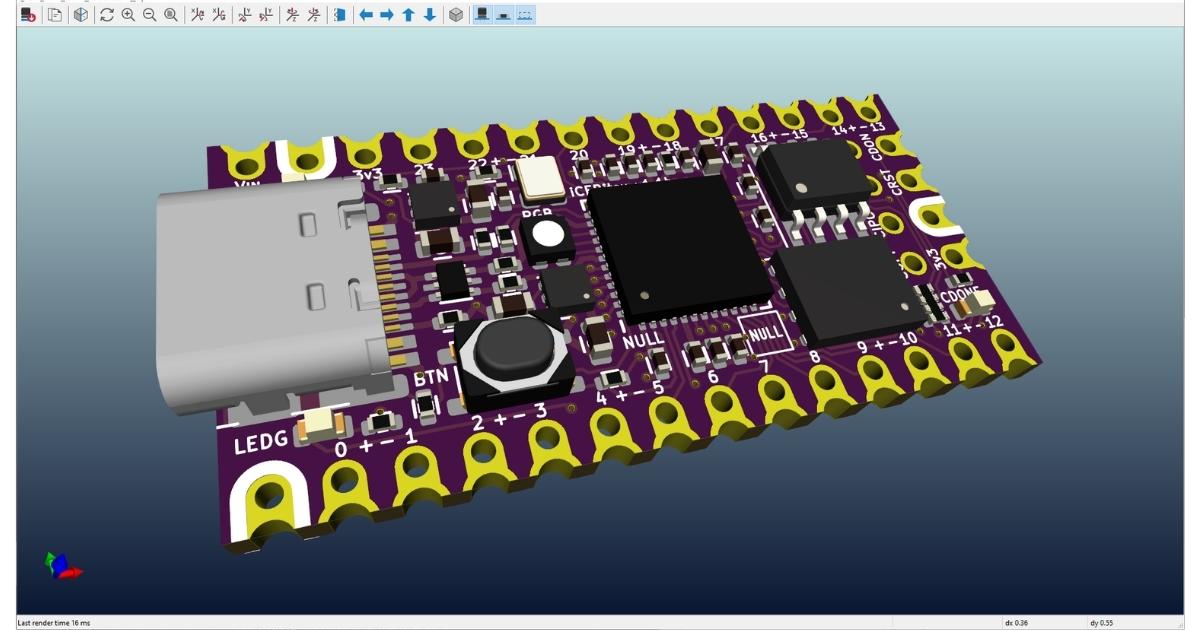
KiCad has become the go-to for IoT makers who need professional-grade PCB design without the price tag. It’s completely free, cross-platform, and handles everything from schematic capture to multi-layer board layouts with 3D rendering.
Why it’s great for IoT Inventors and Makers?
IoT projects often involve compact boards with antennas, sensors, and power management KiCad excels here with built-in libraries for common components like ESP32 modules and RF chips.
The DRC (design rule check) catches routing issues early, and its symbol/footprint editor lets you customize for niche parts. Hobbyists love the zero barrier to entry, while pros appreciate the Gerber export for quick fab runs.
Real-world win: Prototyping a BLE gateway? KiCad’s push-and-shove routing saves hours over manual tweaks.
2. PlatformIO: Firmware Development Made Effortless
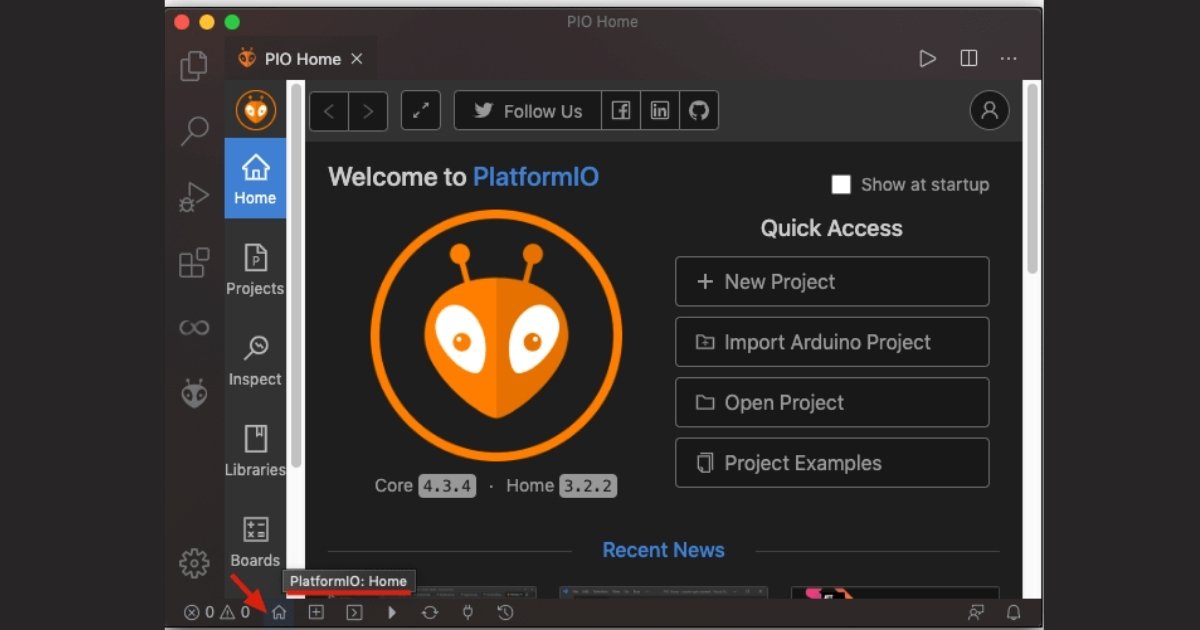 If you’re flashing code to microcontrollers, PlatformIO is a game-changer. It’s an open-source ecosystem that extends VS Code into a full-featured IDE for embedded and IoT development, supporting 1,000+ boards from Arduino to STM32.
IoT means juggling libraries, debuggers, and OTA updates PlatformIO handles all that with one-click builds, serial monitoring, and a massive registry of tested libs (think MQTT, FreeRTOS). No more fighting Arduino IDE’s quirks; this scales from single-node prototypes to fleets.
Pro tip: Pair it with unit testing for reliable firmware that survives field deployment.
3. Fusion 360: All-in-One CAD for Enclosures and Assemblies
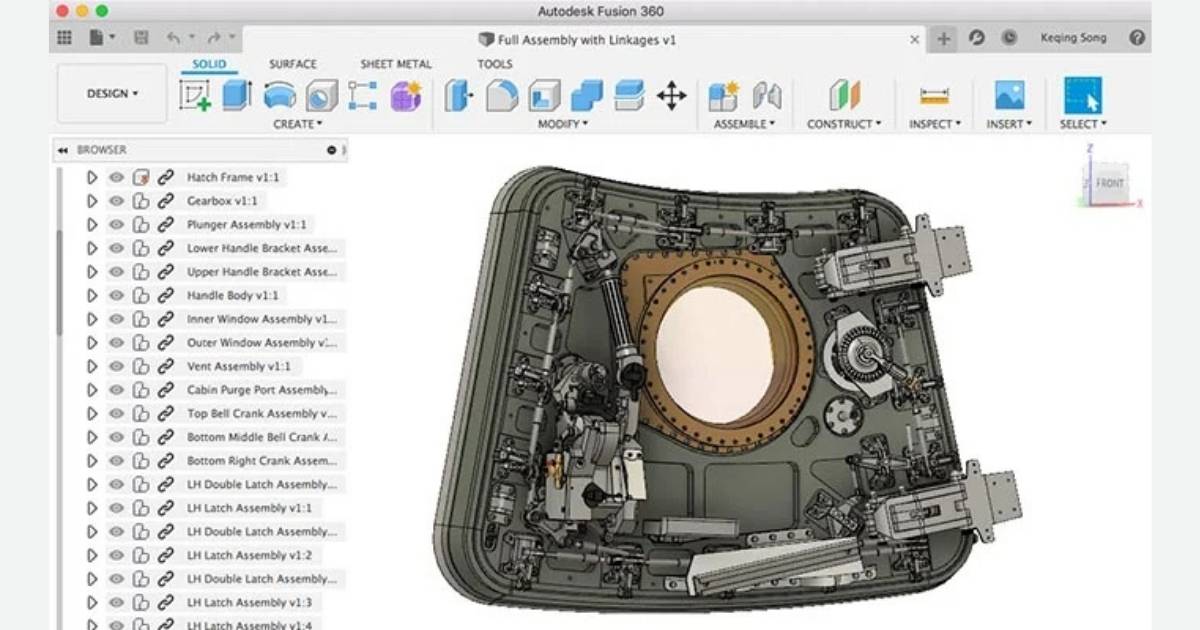 Autodesk Fusion 360 is the Swiss Army knife for mechanical design in IoT projects. Free for hobbyists and small teams, it combines parametric modeling, simulation, and CAM in the cloud.
Why inventors opt it?
Your PCB doesn’t live in isolation it needs enclosures, mounts, and heat sinks.
Fusion lets you import KiCad STEP files, design snap-fits or threaded inserts, and run FEA for thermal stress.
Electronics workspace even handles basic schematics and 2D PCBs. Cloud collab means sharing prototypes with fab shops is instant.
Example: Designing a weatherproof sensor housing – Simulate airflow and drop tests before printing.
4. Arduino IDE (with IoT Cloud): Beginner-to-Prototype Speed
 Don’t sleep on Arduino IDE it’s still king for rapid IoT prototyping. Paired with Arduino IoT Cloud, it bridges hardware, code, and dashboards without vendor lock-in.
Why it’s essential?
For makers starting with sensors or actuators, the simplicity is unbeatable.
Drag-and-drop IoT Cloud setups variables, dashboards, and integrations (ThingSpeak, Alexa). Supports official boards plus clones, with robust community libs for WiFi, LoRa, and more.
It’s not just for newbies, many devs use it for MVPs before migrating to heavier tools.
5. Altium Designer: Pro-Level Precision for Complex Boards
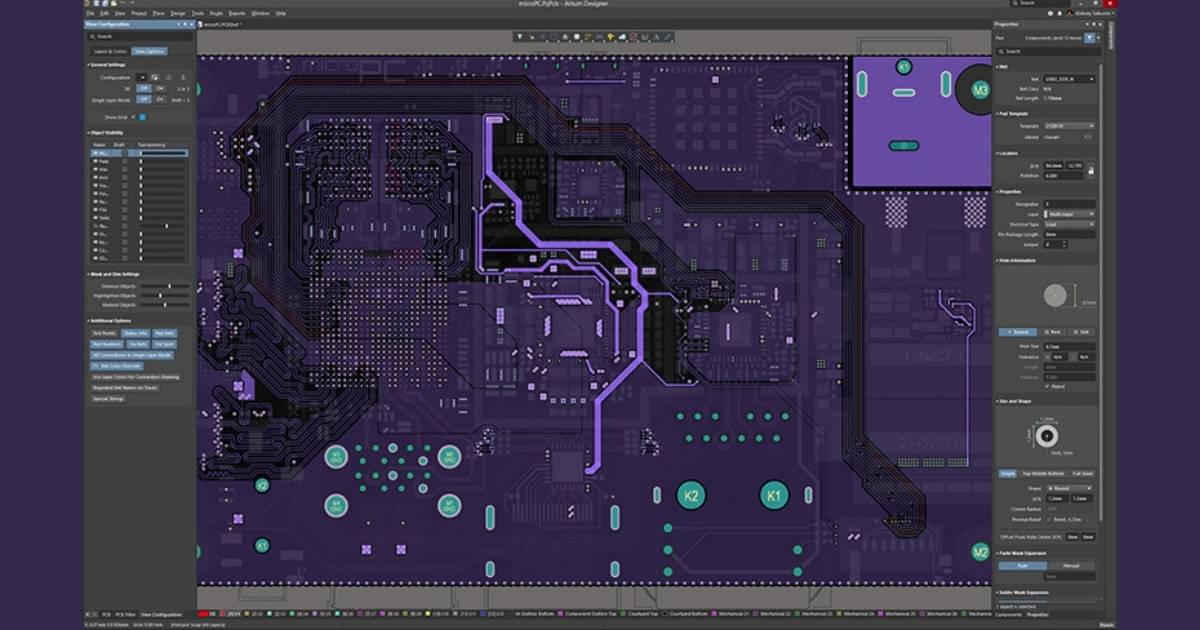 For serious IoT engineering, Altium Designer delivers unmatched power. It’s subscription-based but packed with high-speed design, signal integrity, and MCAD co-design tools.
Dense IoT boards with DDR, USB 3.0, or multi-protocol radios demand Altium’s active routing, impedance control, and 3D PDF exports.
Unified environment means no data handoffs between schematic and layout. Teams collaborate via Concord Pro.
Ideal if you’re pushing prototypes toward production volumes.
Side-by-Side Comparison
Here’s how they stack up across key factors for IoT workflows. Scores are practical ratings based on maker feedback and capabilities (out of 10).
KiCad and PlatformIO dominate free tiers, while Fusion bridges mechanical/electrical gaps better than pure PCB tools. Altium pulls ahead for enterprise-scale IoT but at a premium.
| Tool | Cost (Hobbyist/Pro) | PCB Design | Firmware/Coding | 3D CAD/Sim | Learning Curve | IoT-Specific Features | Best For |
| KiCad | Free/Free | 10 | N/A | Basic | Medium | Huge IoT libs, RF tools | PCB-focused prototypes |
| PlatformIO | Free/Free | N/A | 10 | N/A | Low | OTA, multi-board IoT | Embedded coding fleets |
| Fusion 360 | Free/$70/mo | Basic | Basic | 10 | Low-Medium | Electronics integration | Full assemblies |
| Arduino IDE | Free/Free | Basic | 8 | N/A | Very Low | Cloud dashboards | Quick MVPs |
| Altium | N/A/$10k+/yr | 10 | Basic | Advanced | High | High-speed IoT | Production boards |
Which One Should You Pick?
It boils down to your stage and stack.
- Solo hobbyist – KiCad + PlatformIO + Arduino for speed.
- Team prototyping enclosures – Add Fusion.
- Scaling to manufacturable products – Altium’s your endgame.
Many makers shuffle them like KiCad for boards, PlatformIO for code, Fusion for cases. The ecosystem is interoperable, so experiment without commitment.
Tools evolve fast, but these 5 Best Design Tools consistently deliver for IoT Inventors and Makers tackling real constraints like power, connectivity, and reliability. Grab one, build something, and iterate.