



Engineers using Eplan have long relied on macro technology to speed up 2D schematic creation, yet laying out physical 3D control cabinets has largely remained a repetitive, copy-and-paste chore. With the upcoming Eplan Platform 2027, showcased at the SPS – Smart Production Solutions trade show, Eplan is bridging that gap by extending rules-based automated project generation directly into 3D mounting panel layouts inside Eplan Pro Panel.
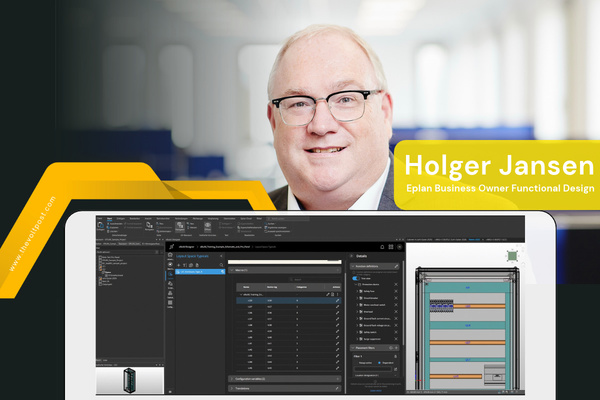
Rather than manually dragging and dropping individual parts, engineers can now generate a complete digital twin of a control cabinet with a single click.
Using a new object called Layout Space Typical, the software builds on existing cabinet templates, complete with pre-defined cable channels, geometries, and mounting rails to automatically assign and position components along designated DIN busbars.
The workflow is straightforward and requires zero programming skills:
- Start with a Base Template: Engineers set up a basic unpopulated 3D control cabinet macro in Eplan Pro Panel, defining the installation spaces and rail configurations. Different cabinet variants can be saved as reusable templates for fast, standardized builds.
- Import the BOM: Users pull in the bill of materials covering electrical components like circuit breakers, rail-mounted terminals, motor overload switches, PLC modules, and fuses.
- Auto-Populate via Simple Rules: Driven by an automatically generated configuration interface, the software applies straightforward rules to snap each device onto its proper rail, cutting out hours of manual placement.
Because automated project generation runs as an Eplan Cloud application, multi-site engineering teams can collaborate on cabinet designs without investing in extra IT infrastructure or specialized configuration training—anyone familiar with basic macro principles can use it.
Integrating 3D modeling directly into macro creation also accelerates the handoff to the shop floor. Production data becomes available much earlier in the design cycle, feeding directly into Eplan Smart Production to guide physical panel assembly with tighter end-to-end data consistency.
Leadership Comments
 “With the automatic creation of the control cabinet’s digital twin, we’ve achieved another milestone in our automated engineering strategy,” says Eplan Business Owner Functional Design Holger Jansen. “This is another increase in efficiency and quality for Eplan users in planning and production processes.”
“With the automatic creation of the control cabinet’s digital twin, we’ve achieved another milestone in our automated engineering strategy,” says Eplan Business Owner Functional Design Holger Jansen.
To Know More: CLICK HERE